


Your Rivia Account is your all-in-one health app designed to make accessing care simple and stress-free. It brings your health records, appointments, and virtual care together in one easy-to-use platform.
With your Rivia Account, you can manage your healthcare anytime, anywhere.
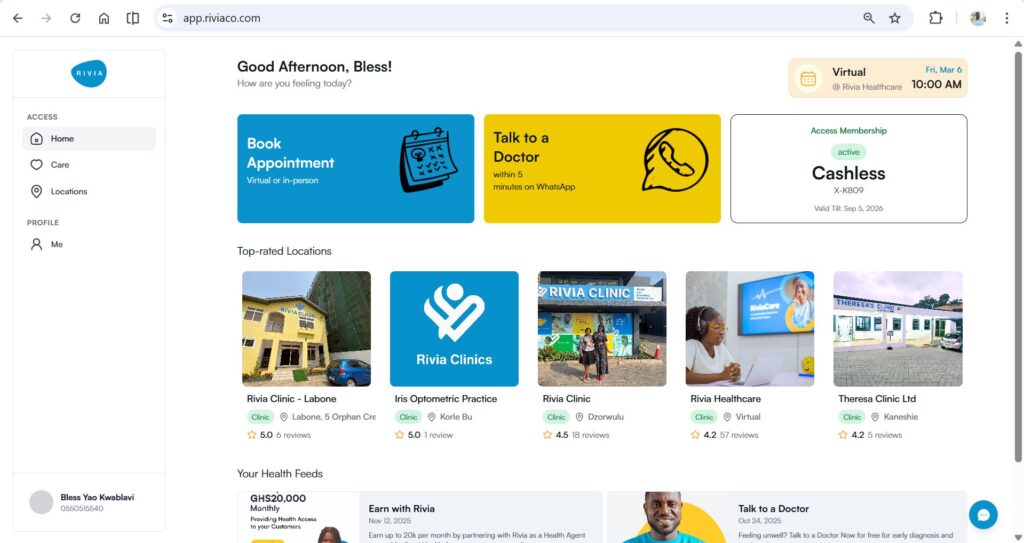
What You Can Do With Your Rivia Account
Talk to a Doctor
You can speak directly with a doctor through your Rivia Account. Simply tap Chat Now to get started. You’ll be redirected to WhatsApp, where you can chat with a doctor or a member of our Care Team in a friendly and familiar environment.
Book an Appointment
Booking an appointment is quick and easy. Tap Book Appointment, choose whether you want a virtual or in-person visit, then select your preferred date and time.
Features of Your Rivia Account
The Navigation Menu
The navigation menu helps you move easily through your Rivia Account. From here, you can access Home, Care, Locations, and Me.
Workspace
Your workspace changes depending on what you select from the navigation menu, showing you the tools and information relevant to that section.
Home
On the Home page, you’ll find:
- Chat Now – to start a conversation with a doctor
- Book Appointment – to schedule a visit
- Life Edit Feed – offering essential health tips to support your wellbeing
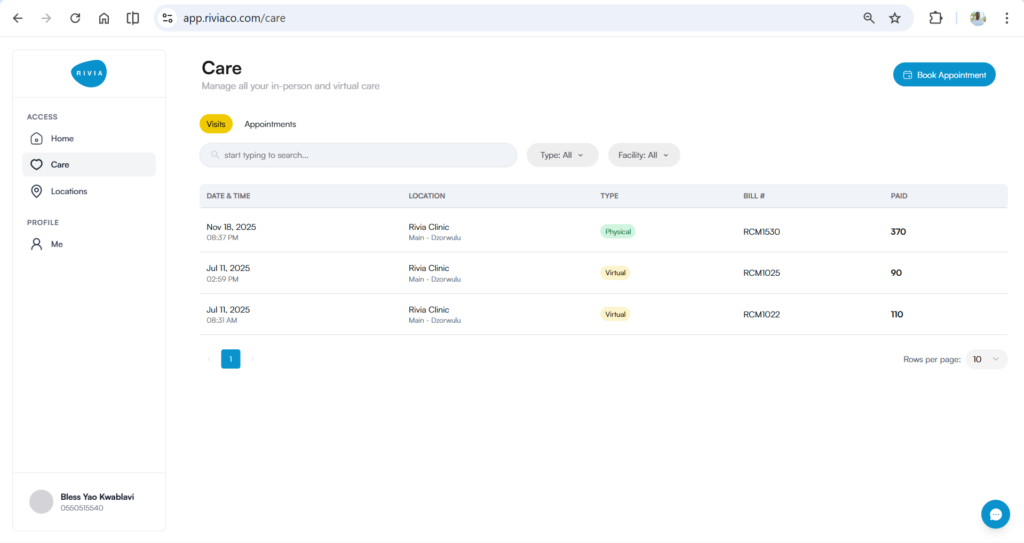
Care
The Care section shows all your clinic visits and appointments. You can also book new appointments from here.
Please note: you must be logged in to access this page.
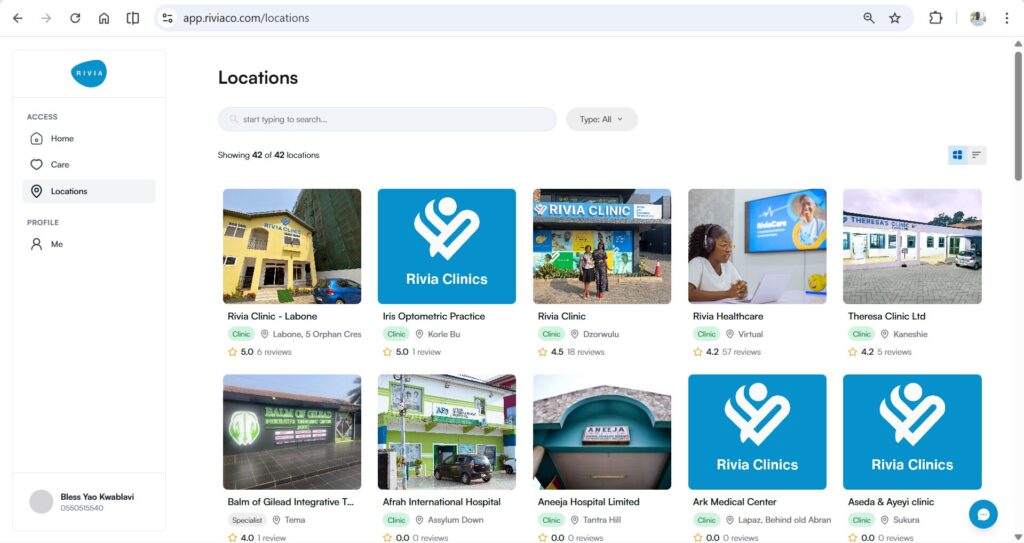
Locations
This section allows you to view all Rivia Clinics locations and the services available at each facility.
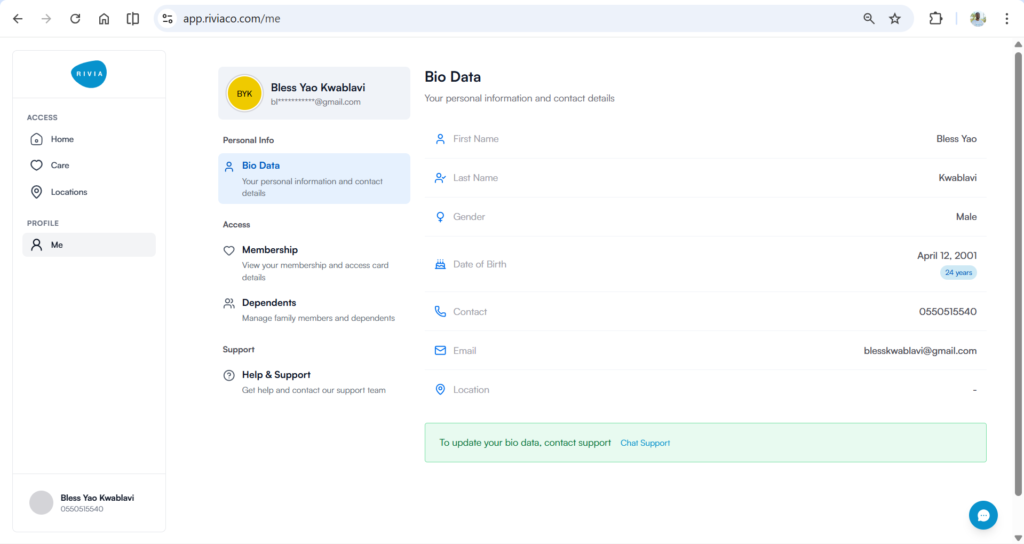
Me
The Me section contains your personal account details, including:
- Bio data
- Membership information
- Support options
How to Book an Appointment Using Your Rivia Account
- Log in to your Rivia Account
- Select Book Appointment
- Choose your appointment type (virtual or in-person)
- Select a facility (for in-person visits)
- Choose your preferred date and time
- State your medical concern
- Confirm and submit your appointment booking
If you need support with your Rivia Account, tap Me and select Support.
Need help with your Rivia Account? Click here.
Don’t have a Rivia Account yet? Register here to get started.
